ISO
You already know aperture and shutter speed. Now ISO comes into play. With it, you control how sensitive to light your camera is. Especially in low light, ISO can help you take better photos.
What is ISO?
ISO is a term that often sounds a little complicated, but the idea behind it is very simple. You can think of ISO as the sensitivity of your camera sensor to light. The higher the ISO number, the more sensitive the camera. This means it needs less light to take a picture. So if, for example, you are photographing in a dark room or are out in the evening, you can increase the ISO so that the photo is still bright enough. This is practical because you don’t always have to work with a tripod or use extremely long exposures. [1]
The following pictures were all taken with a focal length of 600 mm, a shutter speed of 1/1250 sec and an aperture of f/6.3. The only difference is the ISO value. The pictures have already been edited, which is why the lack of noise can be disregarded.

low ISO value in diffuse light in the middle of the day
f/6.3 | 1/1250 sec | ISO 200 | 600 mm
Sony a7 IV | Sony FE 200-600mm F5.6-6.3 G OSS
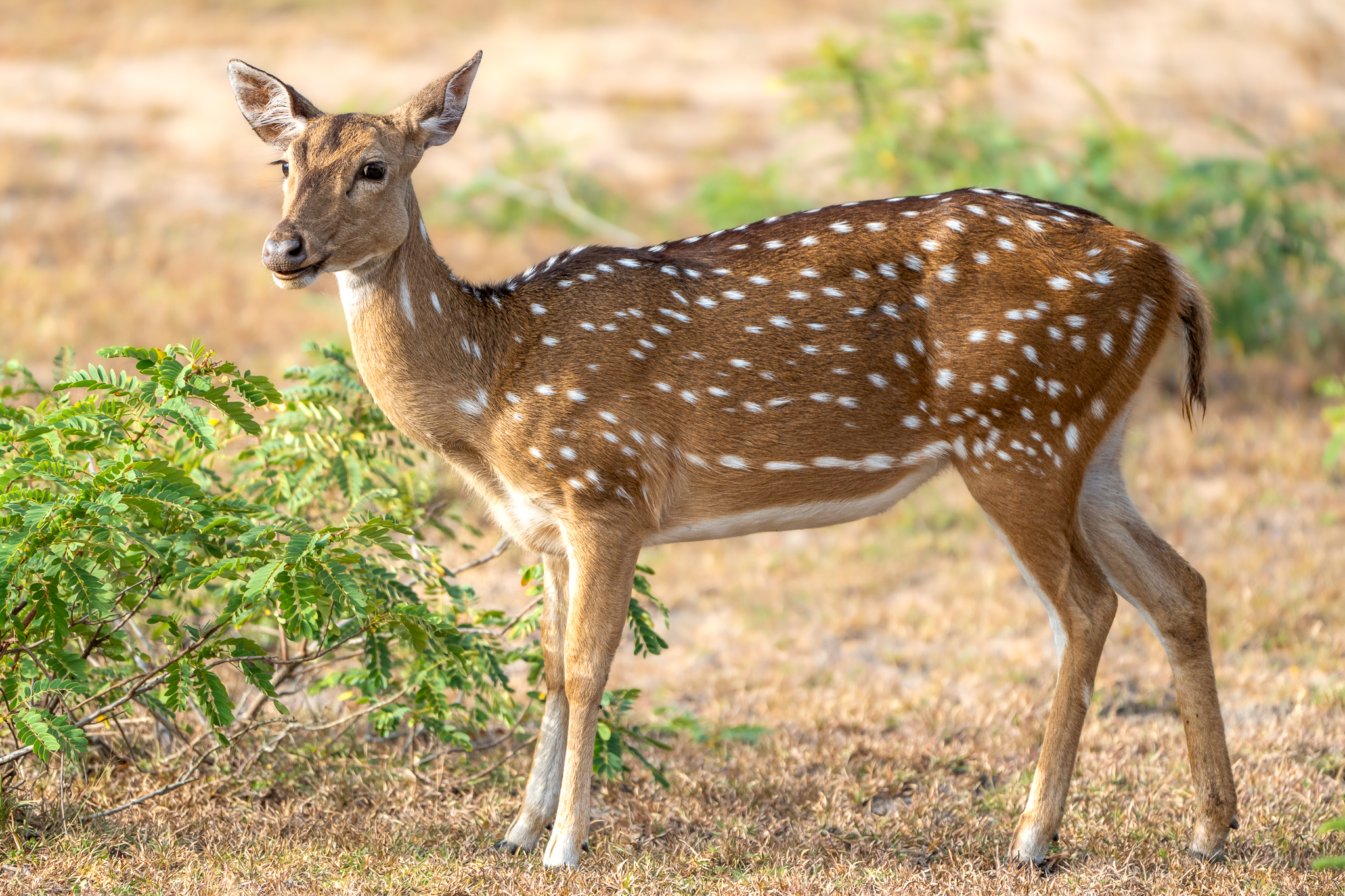
moderate ISO value early in the morning with the first rays of sunshine
f/6.3 | 1/1250 sec | ISO 800 | 600 mm
Sony a7 IV | Sony FE 200-600mm F5.6-6.3 G OSS
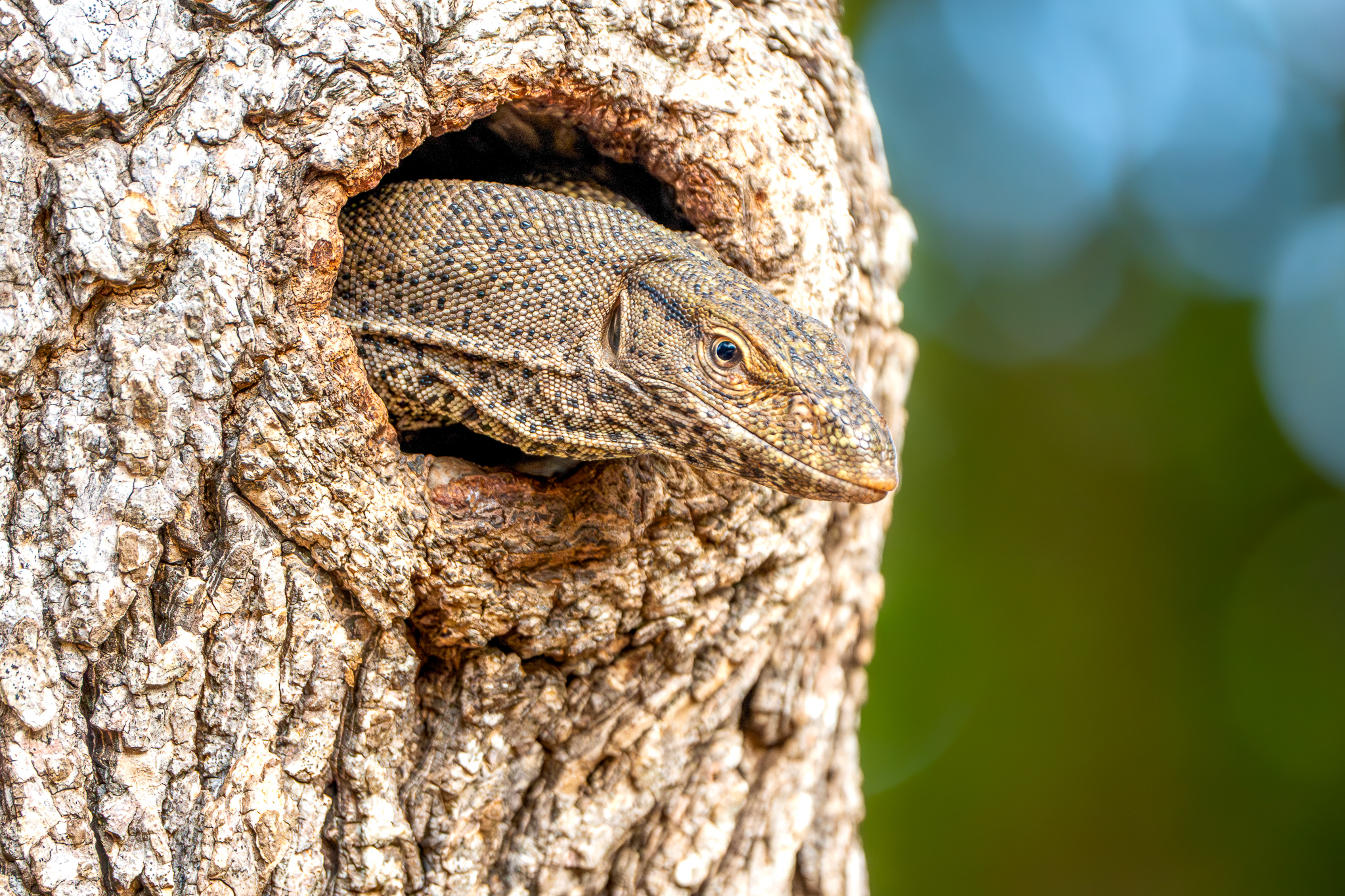
relatively high ISO value at dawn with an additional dark tree trunk (brightened in post-processing)
f/6.3 | 1/1250 sec | ISO 5000 | 600 mm
Sony a7 IV | Sony FE 200-600mm F5.6-6.3 G OSS
Noise at high ISO
However, there is a small catch. If the ISO is set too high, the picture can start to “noise”. Noise looks like a fine, grainy pattern that is particularly noticeable in dark areas. Sometimes it is very disturbing, sometimes it even suits the look of the picture. So it also depends on what you are photographing and what look you want to achieve. It is important that you learn when the ISO becomes too high and when it is still okay. Usually you will notice it when looking at the photos on your camera screen or on the computer. This way you get a feeling for how much noise you can accept. [2]
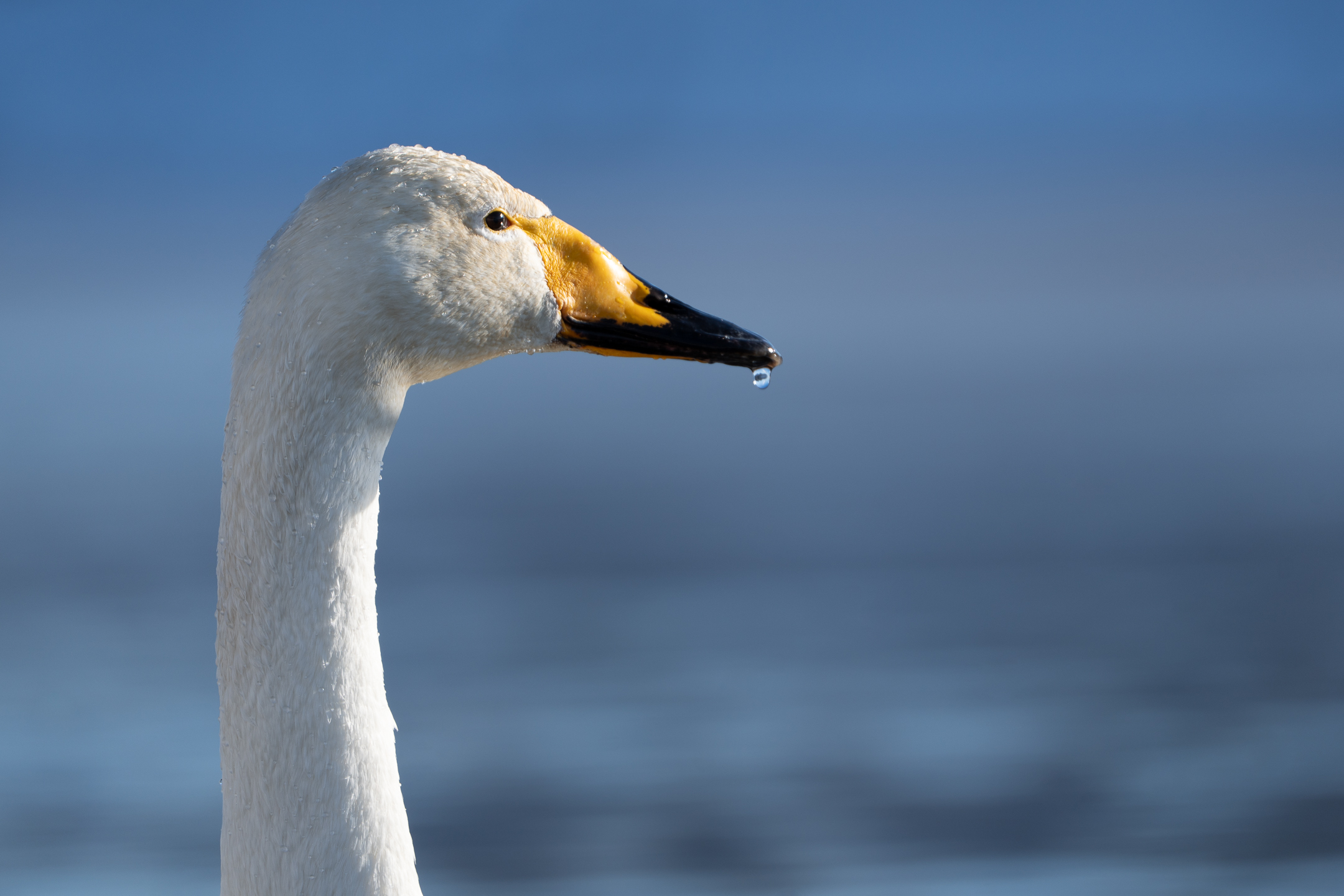
ISO 100 without noise reduction and unedited – no noise visible
f/6.3 | 1/400 sec | ISO 100 | 600 mm
Sony a7 IV | Sony FE 200-600mm F5.6-6.3 G OSS
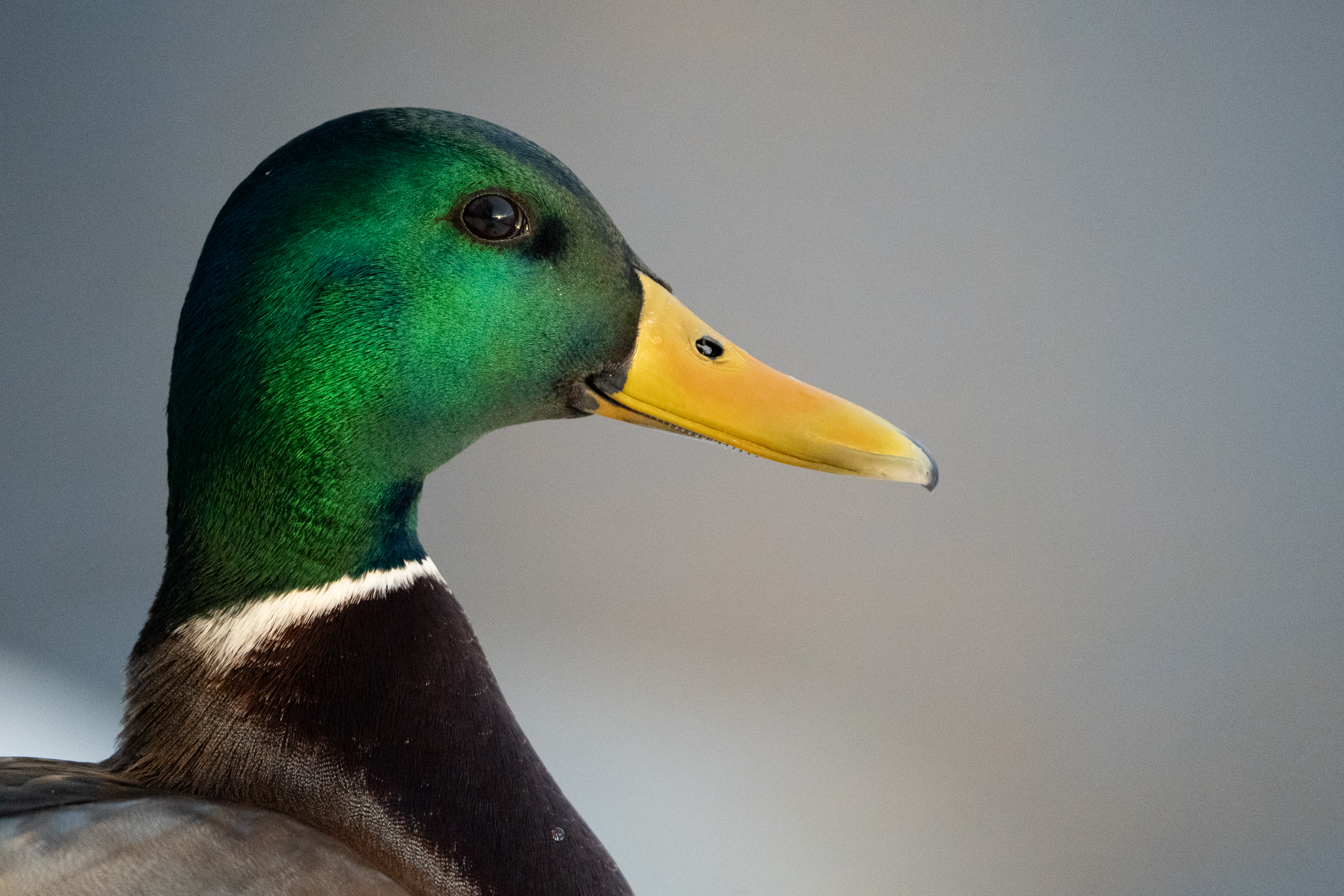
ISO 12800 without noise reduction and unedited – surprisingly little noise with modern cameras
f/6.3 | 1/1250 sec | ISO 12800 | 600 mm
Sony a7 IV | Sony FE 200-600mm F5.6-6.3 G OSS
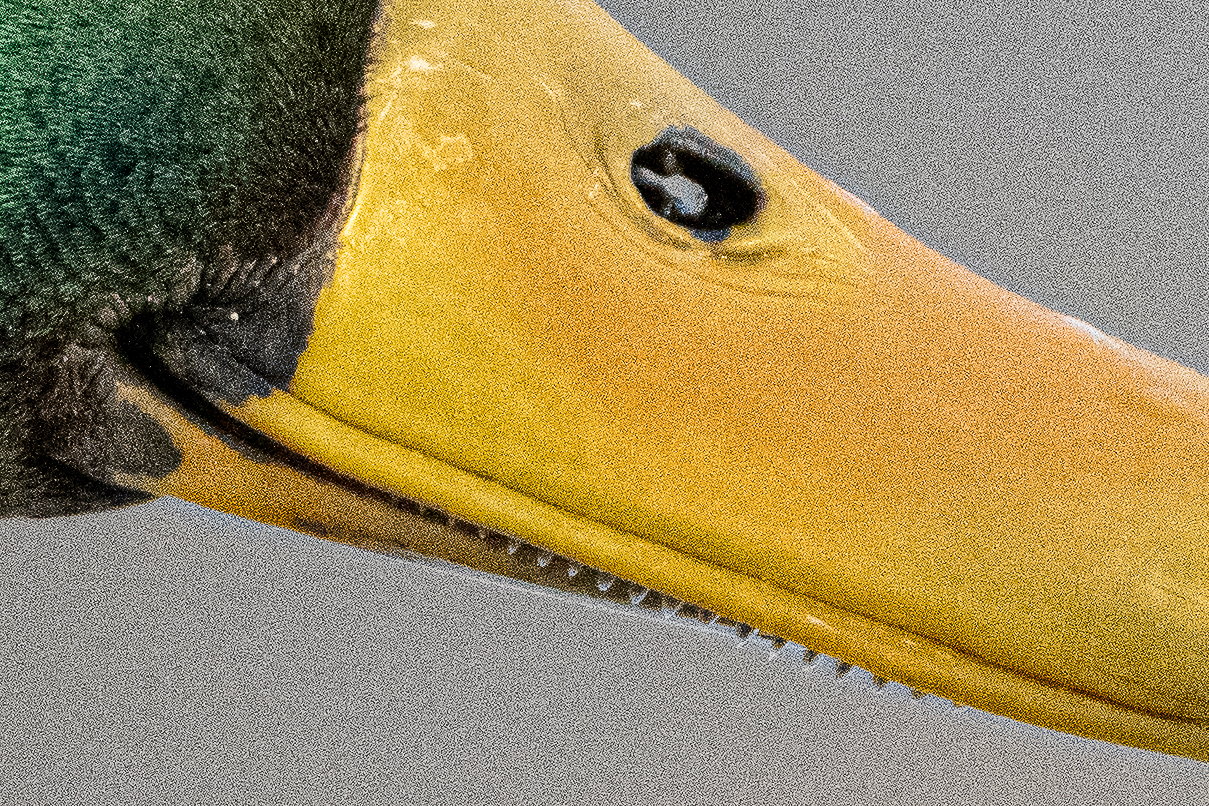
close crop of the middle picture at ISO 12800 – noise visible
f/6.3 | 1/1250 sec | ISO 12800 | 600 mm
Sony a7 IV | Sony FE 200-600mm F5.6-6.3 G OSS
However, you don’t need to be afraid of noise. Much of it can be reduced in post-processing, especially if you shoot in RAW format. Programs such as Lightroom or similar offer noise reduction sliders that let you make the picture look smoother without losing too much detail. Sometimes a little noise remains visible, but that is not a problem. Often it is hardly noticeable in the finished picture. This way you can use a higher ISO even in difficult lighting conditions to achieve the shutter speed or aperture you want, without the photo becoming unusable.
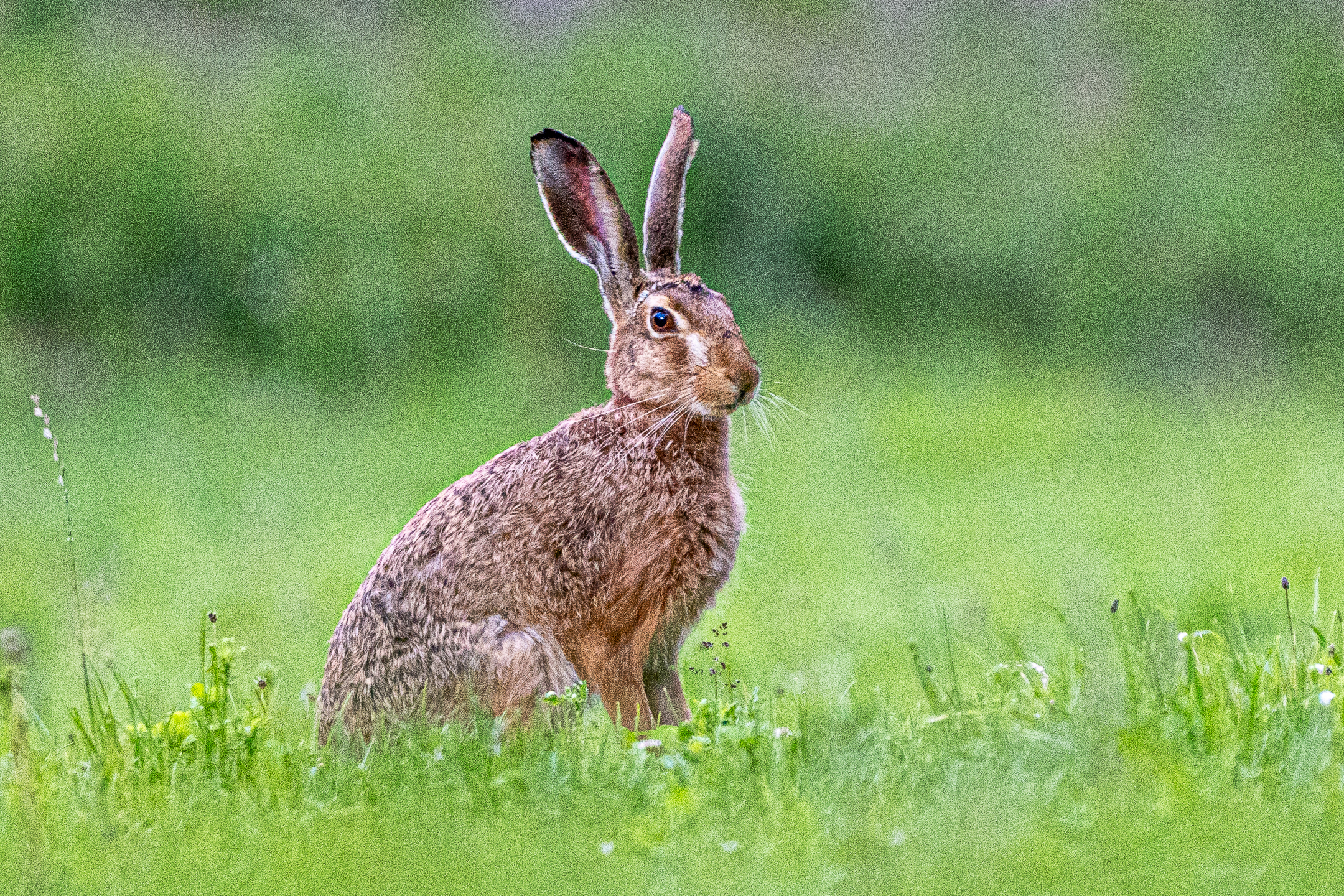
ISO 10000 before noise reduction in Lightroom
f/6.3 | 1/2500 sec | ISO 10000 | 600 mm
Sony a7 IV | Sony FE 200-600mm F5.6-6.3 G OSS
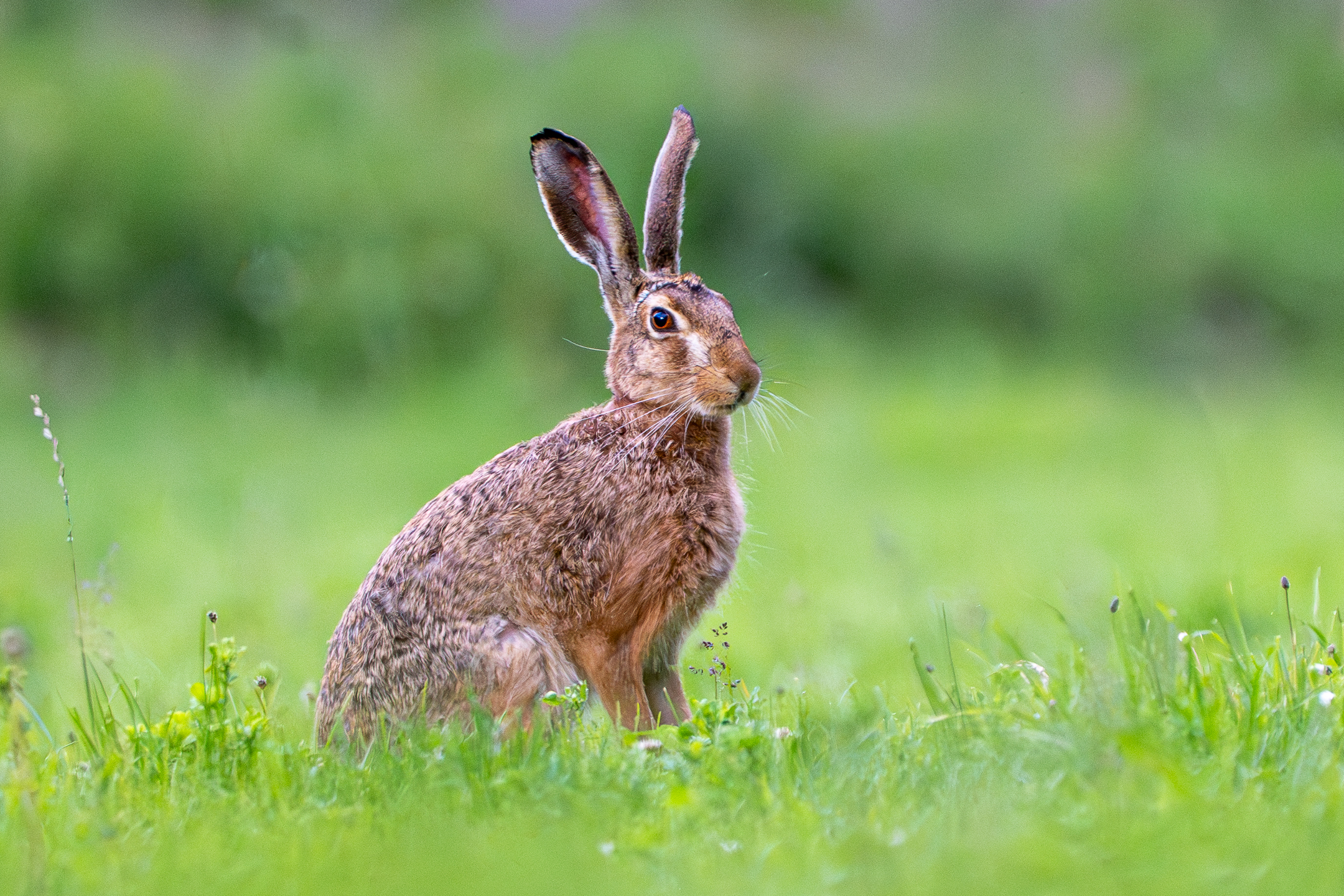
ISO 10000 after noise reduction in Lightroom
f/6.3 | 1/2500 sec | ISO 10000 | 600 mm
Sony a7 IV | Sony FE 200-600mm F5.6-6.3 G OSS
Using auto ISO sensibly
Many cameras offer auto ISO, which can be very practical for beginners. The camera automatically sets the ISO so that the picture is bright enough without you having to think about it all the time. This is a great help, especially when you want to concentrate on the subject. Nevertheless, it is worth keeping auto ISO a little under control, for example by setting a maximum ISO limit. This prevents the camera from choosing values that are too high and making the picture unnecessarily noisy. The best thing to do is simply try out how auto ISO behaves in different situations and find out when you would rather intervene manually. [3]


Auto ISO is worthwhile when the light conditions change quickly – as here with an ibex that was first in the shade (left) and shortly afterwards stood in full sun (right).
Further resources
Apalapse. (2017b, June 4). Camera Basics – ISO [Video]. YouTube. https://www.youtube.com/watch?v=q8cj9Lj9w-g
Sources
- Was ist ISO in der Fotografie? [in German] (2025, May 29). https://www.nikon.ch/de_CH/learn-and-explore/magazine/tips–tricks/what-is-iso
- Haffert, M. (2024, August 23). Bildrauschen entfernen – keine Angst vor hohen ISO. FOTONOMADEN.COM [in German]. https://www.fotonomaden.com/tippstricks/bildbearbeitung/bildrauschen-entfernen/
- Zangl, C. (2024, June 9). ISO-Automatik. Digitipps Fotografie [in German]. https://www.digitipps.ch/fototechnik/iso-automatik/